Pictures over Meshcore - SPIP1
Small Packet Image Protocol 1.0 (SPIP1.0)
A fun and easy method to send pixel-based images using plain text in MeshCore packets. Make your image in an editor (or do it in your head if you’re cool like that), then paste the text into a de-encoder (I made a web-based GUI you can use), and look at your beautiful little packet of art!
SPIP1.0 Quick Breakdown (tl;dr version):
This is a simple protocol where:
columns:characters
Where:
columns is the number of columns in your grid
characters represent colors, with each character corresponding to a specific color
Characters are mapped to colors as shown in the palette above
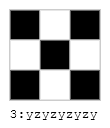
Example: 3:yzyzyzyzy creates a 3x3 checkerboard where 'y' is black and 'z' is white.
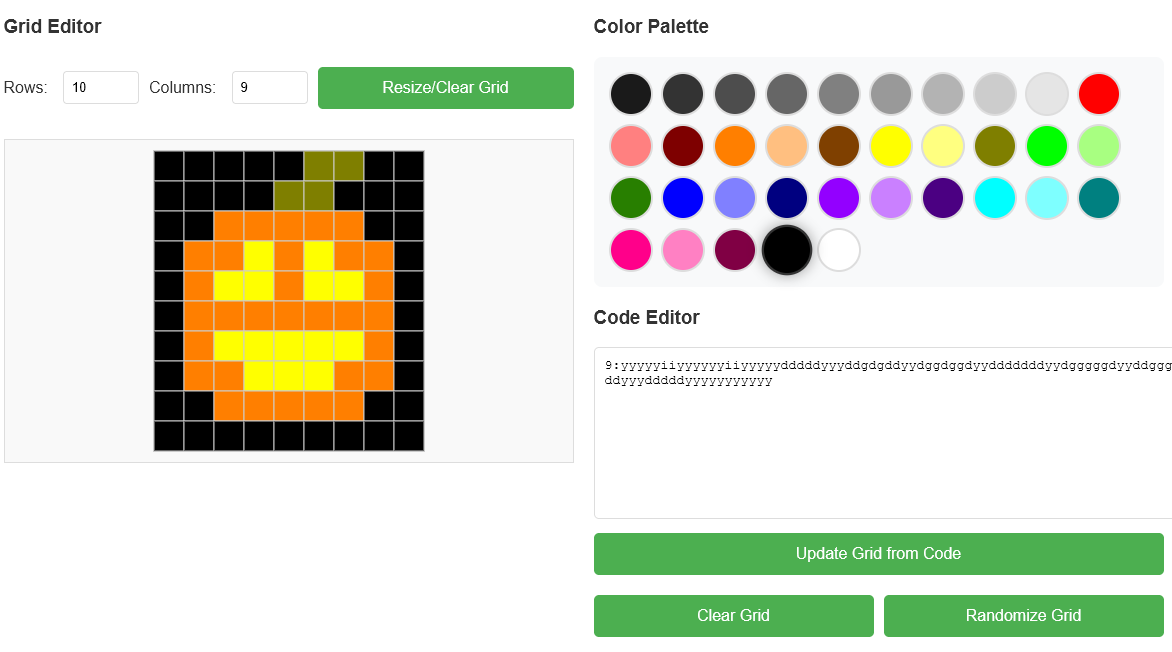
SPIP1.0 Editor
I made a little web-based editor so you can make your own images.
Small Packet Image Protocol 1.0 Full Documentation:
Small Packet Image Protocol 1.0 (SPIP1) was created to send packets of characters that can then be unencrypted into colored images compiled of small numbers of pixels over a variety of protocols, but MeshCore was the intended first usecase. Due to limited packet size, the typical canvas size can vary from 3x3 to 12x12. It is recommended to keep the total number of pixels to be limited to around 120 total, as standard MeshCore packets are often limited to 120 to 130 characters (depending on your companion's settings).
Protocol Packet Format:
Each packet should start with a number followed by a colon.
The number specifies the number of columns to divide the grid into.
After the colon, the packet should contain a sequence of alphabetical and numerical characters representing colors.
The English alphabetical characters represent colors, except for Y and Z, which represent black and white.
There are 8x full saturation colors, as well as 8x 50% saturation variations and 8x 50% darker variations to make 24 colors outside of the grayscale denoted by Y, Z, and 1-9.
The numerical characters 1-9 represent shades of gray.
The numerical character 0 is reserved for future use.
Currently lowercase and uppercase characters should point to the same color value, as capitalization will not affect the intended color.
In future updates, capital and lowercase letters can potentially allow for a larger color pallet, or other parameters to be set. It's all up in the air, I just wanted to get this proof-of-concept out.
Characters and their corresponding hex codes:
a: #FF0000
b: #ff8080
c: #7e0000
d: #FF7F00
e: #ffbf80S
f: #7f4000
g: #FFFF00
h: #ffff80
i: #7f7f00
j: #00FF00
k: #a8ff81
l: #287f00
m: #0000FF
n: #8080ff
o: #000080
p: #9300ff
q: #ca80ff
r: #4B0082
s: #00ffff
t: #7effff
u: #008080
v: #ff008a
w: #ff80c3
x: #800044
y: #000000
z: #FFFFFF
1: #1A1A1A
2: #333333
3: #4D4D4D
4: #666666
5: #808080
6: #999999
7: #B3B3B3
8: #CCCCCC
9: #E5E5E5
0: RESERVED
Example: 3:yzyzyzyzyz creates a 3x3 checkerboard where 'y' is black and 'z' is white.
2nd Example: 8:zyyzzyyzyaayyaayyaaaaaayzyaaaayzzzyaayzzzzzyyzzz creates a red heart with a black outline and white background. Try it yourself!